One flat fee, charged by Stripe, with your card, invoices and cancelling all in one place.
One technician: $12 USD a month, or $120 a year. A business: $15 a month for the first technician and $9 for each after, or $150 and $90 a year. Prices are in US dollars.
Nothing on your profile touches your bill by itself. Only two things do: Finish paying, and the Remove this technician button, which tells you the new amount before it does anything.
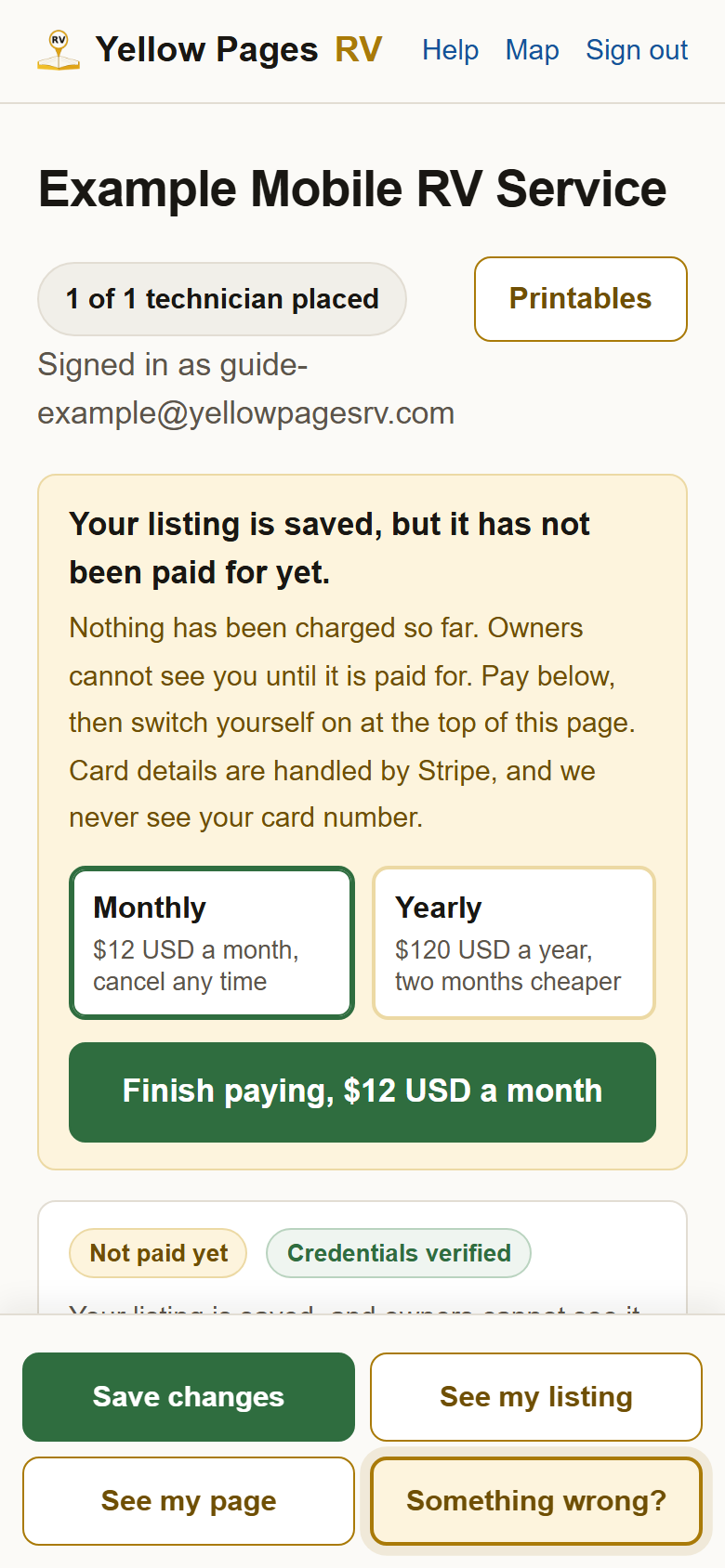
1Signed up but not paid yet? Press Finish paying at the top of your profile. Pick monthly or yearly and press the green button. Stripe takes the card. Until then the map does not show you, and nothing has been charged.
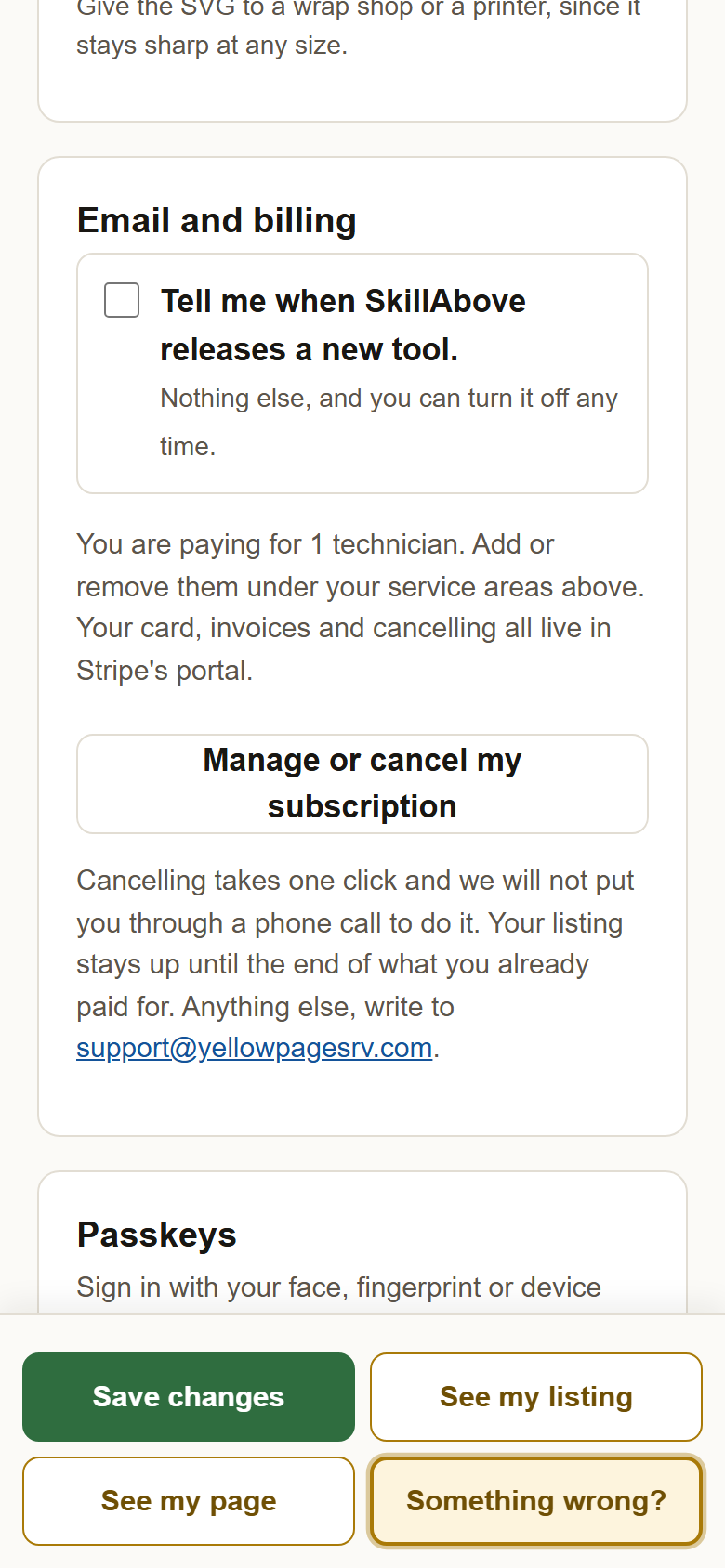
2Card, invoices and cancelling: Email and billing, then Manage or cancel my subscription. It is near the bottom of your profile. Stripe's page opens, signed in as you. Change the card there, download any invoice, or cancel with one click. Cancelling keeps your listing up until the end of what you already paid for.
3A payment that did not go through shows as Payment problem at the top of your profile. Your listing comes off the map until it is paid. Update the card through Manage or cancel my subscription and you are back on; the switch at the top will not do it until then.
4Adding or removing a technician on the business plan. Under Your technicians and where they work, Add a technician shows the new monthly amount and asks before charging. Remove this technician does the same the other way; what is left of the current period stays as a credit against your next bill, and nothing is refunded to the card.
?Still stuck? Receipts come from Stripe by email each time you are charged. Charged twice, or a number that does not match this page? Write to support@yellowpagesrv.com with the date and amount and a person will sort it out.
 Yellow Pages